









Get the latest product updates, ask technical questions, and learn best practices
Recently active
NOTE: If you are an AX employee please do not take this test, for customers only! I’d love for you to take this quick 2 minute usability test around the dashboard. << It is not the final visuals >> Thank you!
In the coming weeks we will be releasing updates to the System Management page and Dashboard. The System Management page has undergone a fairly significant change. The page now has a table layout with sortable columns. Instead of subway map lines, users can see related groups and policies through a tooltip rendered on hover. Actions such as Run Policy, Assign Group/Policy, Remove Group/Policy and Manage Approvals (for manual policies) can now be executed directly from the Group/Policy table instead of having to access the edit page of an individual policy or group. There are no significant changes to the Dashboard functionality or design. There will be minor updates to the icons to better align with new styles. Additionally, the Manual Approval button on the Dashboard will no longer render a list of patches on that page, but rather take the user to the new Manual Approvals page we are creating with the policy work. This page will allow for sorting, searching and filtering - which
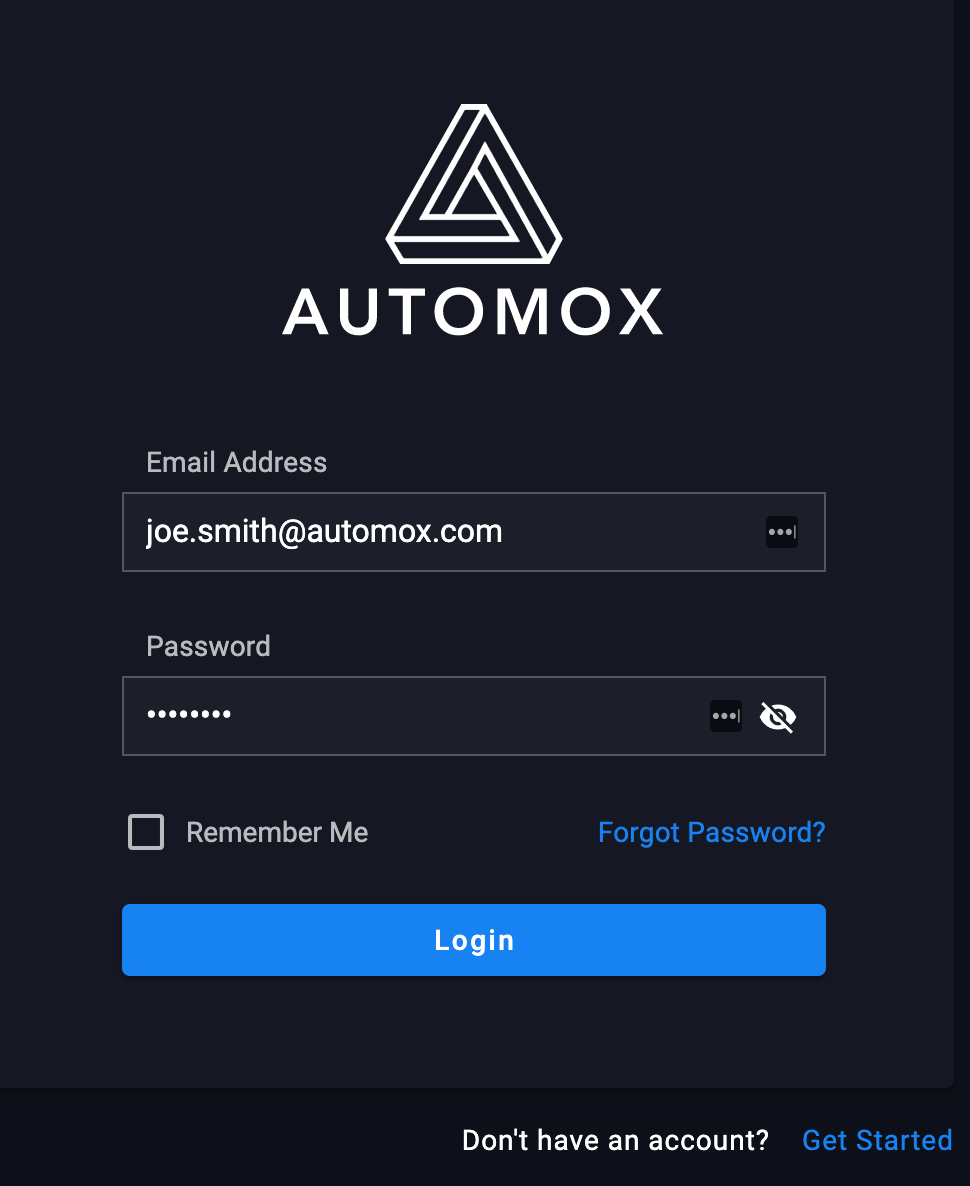
In the coming weeks we will be releasing updates to the login, password reset and related pages. The changes are subtle, but you may notice a slightly different look and feel. 970×1186 43.5 KB 956×1074 42.2 KB
I see that I can use Action -> Ignore to block the installation of specific software patches by Automox, but does that actually block the manual installation by a local user with admin privs? I’m attempting to block installation of Big Sur until we have had time to test with core applications, etc. Any ideas or suggestions?
Hi all, Has anyone else noticed a significant drop in speed of the Policy Editor? Specifically when I’m using ‘Patch Except’. It takes upto 10 seconds to search through the filter package list, so you can waste minutes if you want to add 6 or more. I dread to think what larger companies are having to wait for, when it spins through all the applications. Is there anything I can do to speed it up? I’m on W10 & Chrome. Cheers, Chris.
Hi, I would like to request a feature to run a Patch Policy each hour in order to patch Microsoft Defender updates as soon as possible when they get released by Microsoft. Currently we run it once a day at 11 AM, but then the update might have been released and superseded several hours ago. Also scanning for updates should also be able to run every hour if not every half an hour. Kind regards Tom Aril Virak
Is there a way I can target multiple policies to a single computer? For example, I have 10 computers. Computers 1 - 5, I would like them to be a target of a worklet that deploys Powerpoint templates. Computers 1-10, I would like to apply a specific patching policy for OS updates. Computers 6-10, I would like to apply a specific patching policy for Firefox. I notice a computer can only be a member of one group. I was initially thinking of putting the computer into multiple groups so achieve #1-#3 above. Thanks
https://support.automox.com/help/week-in-review-release-notes-for-week-ending-11062020 Enhancements New and improved System Management page was enabled (11/2) Enhanced reboot referral and notifications (11/4) Many back end and infrastructure enhancements Links to posts about the new enhancements: We’re happy to share that we’ll be releasing a new option that allows you to configure and have more control over system reboots after a patch update. The ability to defer system reboots has been a long-standing request from our existing customers, so we’re excited to be delivering this capability next week.The new reboot deferral options will be available when you create or edit a policy. This new feature allows system administrators to configure a maximum number of reboot deferrals and the d…We have implemented a significantly different and improved design. The page now has a table layout with sortable columns. Instead of subway map lines, users can see related groups and policies thro
I am just getting in to leveraging the Automox API and my first hold up is successfully authenticating with 2FA enabled. Is there a way around this or a separate process to be able to make this work?
Hi, Is anyone else running into issues with OSX still prompting users with a notification about amagent wants access to control “Microsoft AutoUpdate.app”? I followed the guide here: https://support.automox.com/help/macos-privacy-preferences and near as I can tell i configured a privacy policy for it correctly in JAMF. But recently some new employees started getting the notifications. screenshot1172×843 62.2 KB
We have implemented a significantly different and improved design. The page now has a table layout with sortable columns. Instead of subway map lines, users can see related groups and policies through a tooltip rendered on hover. Actions such as Run Policy, Assign Group/Policy, Remove Group/Policy and Manage Approvals (for manual policies) can now be executed directly from the Group/Policy table instead of having to access the edit page of an individual policy or group. Watch for this to be released later today: screencapture-console-ndoyle-dev-automox-dev-system-management-2020-10-29-11_45_45 (1)3390×2504 790 KB screencapture-console-ndoyle-dev-automox-dev-system-management-2020-10-29-11_46_13 (1)3390×2370 345 KB
Don’t worry, I’m not going anywhere, I’m just getting some help with running the community. @Brittany joins us from Spiceworks, where I worked with her previously. She’s going to be another person besides me that you can reach out to for assistance with anything related to the community. I’ll let her do the rest of her intro in the reply below.
Why is it when I create tags they will sometimes show up in the list with quotes? Sometimes they do not.
Built In Colorado sat down (virtually) and talked with Automox CEO Jay Prassl to discuss our company’s move from the offices in Boulder to the offices in our homes all over the world. If you’re curious about the shift and some of the tactics used to make the transition easier, check out this amazing write up! Built In Colorado Why One Colorado Tech Company Is Giving Up Its Office for Good Shifting to a distributed model necessitates that leaders think deeply about the nature of work, the current climate and what the future may hold. It’s not an easy path to traverse, but that hasn’t deterred one tech leader.
We have released the policy page updates detailed in this post: Coming Soon: Policy Page Updates Thanks for the feedback.
I am looking to patch mostly ubuntu workstations and have a question about the reboots in a policy. Does it always reboot, or just when a reboot is required?
Hi Automoxers! Are any of you using an asset management tool that integrates with Automox? If so, what is it and do you like it? Looking for one that has barcode/QR code capabilities. Thanks!!!
Hello! Thought I would share this API script I wrote that exports all applied patches on all machines to a CSV. UseCase: For audits this allows an easy way to export every single patch on a machine to prove that machines have been patched during a time period. Notes: This is meant to be run on a machine NOT through a worklet. Make sure to add in your own API Key for this to work. For a full list of objects you can pull from the API see Automox API Documentation under “Response”. This script is not perfect. If run multiple times it will keep adding to the same CSV, so make sure to either clear the CSV and save or just delete it. Powershell Code: #Set Execution policy to allow for 3rd party modules Set-ExecutionPolicy Unrestricted -Force #Define API Key and URL to get initial Machine list $apiKey = "*INSERT YOUR API KEY HERE*" $apiUrl = "https://console.automox.com/api/servers/" $headers = New-Object "System.Collections.Generic.Dictionary[[String],[String]]" $headers.Add("Authorizatio
I’m looking to schedule user research sessions to learn how you use our current platform for deploying and managing software and what other tools you use for your software deployment needs. Let me know directly if you are available for a conversation this or next week!
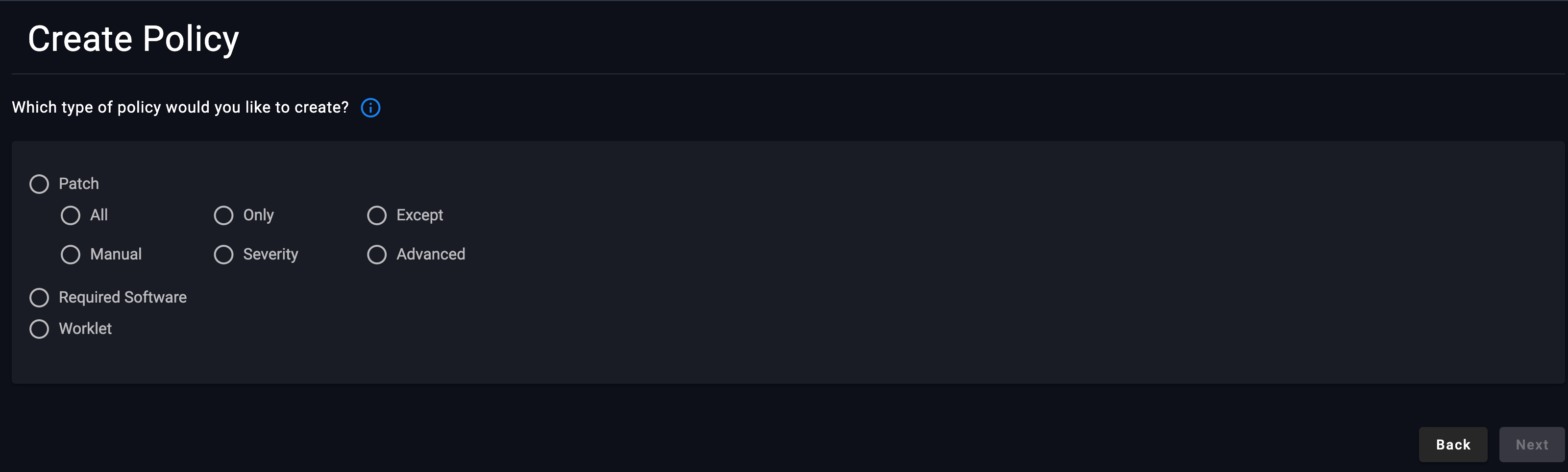
Based on customer feedback to the recently released Policy pages update, we’ve made a few adjustments to improve the usability of the new policy workflow. We’ve expanded the initial view of the policy selector to show all policy types, including the individual patch policies. image3200×964 121 KB We’ve added a tooltip to the policy selector page that describes the difference between the displayed options: patch, required software, and worklet. You can link directly to the product documentation from the tooltip for more information 1600×475 93.9 KB When you select a patch policy type, we now provide a policy description displayed to the right of the policy type selection. 1600×477 40.9 KB When creating a new or editing an existing policy, you can now update the policy type on the create/edit policy page. For example, if you previously chose “Patch All” on the policy selector page, you can edit that selection on the create/edit policy page. image954×216 16.4 KB image3072×4096 720
If trying to use the InstallUpdate command to “Issue a Command to a Device”, you’ll see that it wants a GUID for the update: https://docs.automox.com/api/endpoints/issue-a-command-to-a-device So that you don’t have to comb through the registry trying to find it, you can run this script on a device that has the update installed to find the GUID so that you can use it to install it on other devices with API: $UninstallKeys = "HKLM:\Software\Microsoft\Windows\CurrentVersion\Uninstall", "HKLM:\SOFTWARE\Wow6432Node\Microsoft\Windows\CurrentVersion\Uninstall" $null = New-PSDrive -Name HKU -PSProvider Registry -Root Registry::HKEY_USERS $UninstallKeys += Get-ChildItem HKU: -ErrorAction SilentlyContinue | Where-Object { $_.Name -match 'S-\d-\d+-(\d+-){1,14}\d+$' } | ForEach-Object { "HKU:\$($_.PSChildName)\Software\Microsoft\Windows\CurrentVersion\Uninstall" } if (-not $UninstallKeys) { Write-Verbose -Message 'No software registry keys found' } else { foreach ($UninstallKey in $Uninst
I have a use case where i need to install a certificate, and the EXE wanting to do that needs to be run as the user. Automox runs as SYSTEM, is there anyway i can execute an EXE as another user (the logged in user) to install the certificate, without prompting the user? Full context here, under the Windows section: https://duo.com/docs/trusted-endpoints-generic
Hi, Some of our users are experiencing issues with random reboot when we enforce reboot in the patch policy. We patch every Wednesday at 13:00 (1 PM) and have set up that devices can be patched outside maintenance window if they missed it. Users report that they get the notification and option to Defer the restart, but the device restart immediately even if they choose to wait. Seems to be an issue when a client patches outside maintenance window. Had to turn off automatic reboot because of this. Another issue is that the end user never gets a notification to reboot the device after it has been patched and automatic restart is not enforced. The user should be reminded regulary.
https://support.automox.com/help/week-in-review-release-notes-for-week-ending-10232020
Today we released an update to the policy pages. There are no significant changes to the Policy functionality, but the Vue migration includes a more polished design with improvements to user experience. Small usability improvements include a more intuitive interface for the calendar and notifications. Additionally, the manual policy workflow has been improved by separating out the policy information from the patch approval process. Check them out on the console. image3388×2474 288 KB image3388×4330 720 KB We’d appreciate your feedback, please reply to this thread and let us know what you think.
Already have an account? Login
No account yet? Create an account
Enter your E-mail address. We'll send you an e-mail with instructions to reset your password.