If you want a suggestion, make a timeout option in the admin portal settings.
Even for dashboards it doesn’t make any sense to log admins out.
M
MrichardsFebruary 7, 2023
#2
While I agree we should be able to pick our time-out counters and they should pop-up an inactivity prompt (like all other consoles do).. best practice is to not use the worklet window to actively code your worklets, use something like VSCode on your laptop first then copy/paste into automox once your happy with the end result
C
cgreggoFebruary 14, 2023
#3
The raw power of Automox worklets is a blessing and a curse. Highly advise like @Mrichards to develop outside the console and paste in working code. Bonus points if you version control the worklet code into source control like git (Github, GitLab, etc.).
J
JohnG-AutomoxFebruary 16, 2023
#4
Hi kcardona,
I’m sorry to hear your session expired and you lost what you were working on.😔
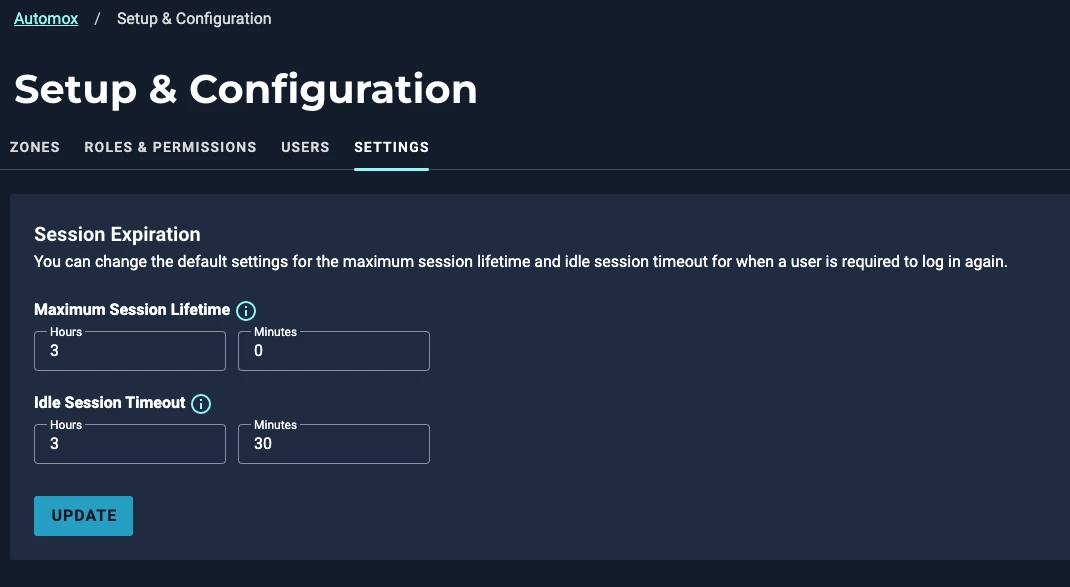
With our global zone management feature, you can increase the maximum session lifetime as well as your idle timeout sessions to prevent this from happening in the future.
To do so, click on your Zone/Org name:
Select Manage Zones and Users from the drop down menu:
You’ll then have options to adjust the Maximum Session timeout as well as the Idle Session timeout:
Note: The Session Expirations are a global setting that will apply to all zones for an organization and must be configured by a global administrator.