Question

Upgrading Windows 11 Pro to Windows 11 Enterprise by applying an Enterprise product key

  • January 27, 2026
  • 1 reply
  • 17 views

mikecruz
Forum|alt.badge.img

I’m fairly new to the community and wanted to ask whether anyone has successfully used Automox to upgrade Windows 11 Pro to Windows 11 Enterprise by applying an Enterprise product key. I haven’t been able to find an existing worklet that handles this. Has anyone implemented this process, and if so, what approach or recommendations would you suggest?

1 reply

Forum|alt.badge.img
  • Automox Employee
  • January 27, 2026

Hi Mike,

Using powershell in the Worklet policies, it should be straightforward similar to the below.

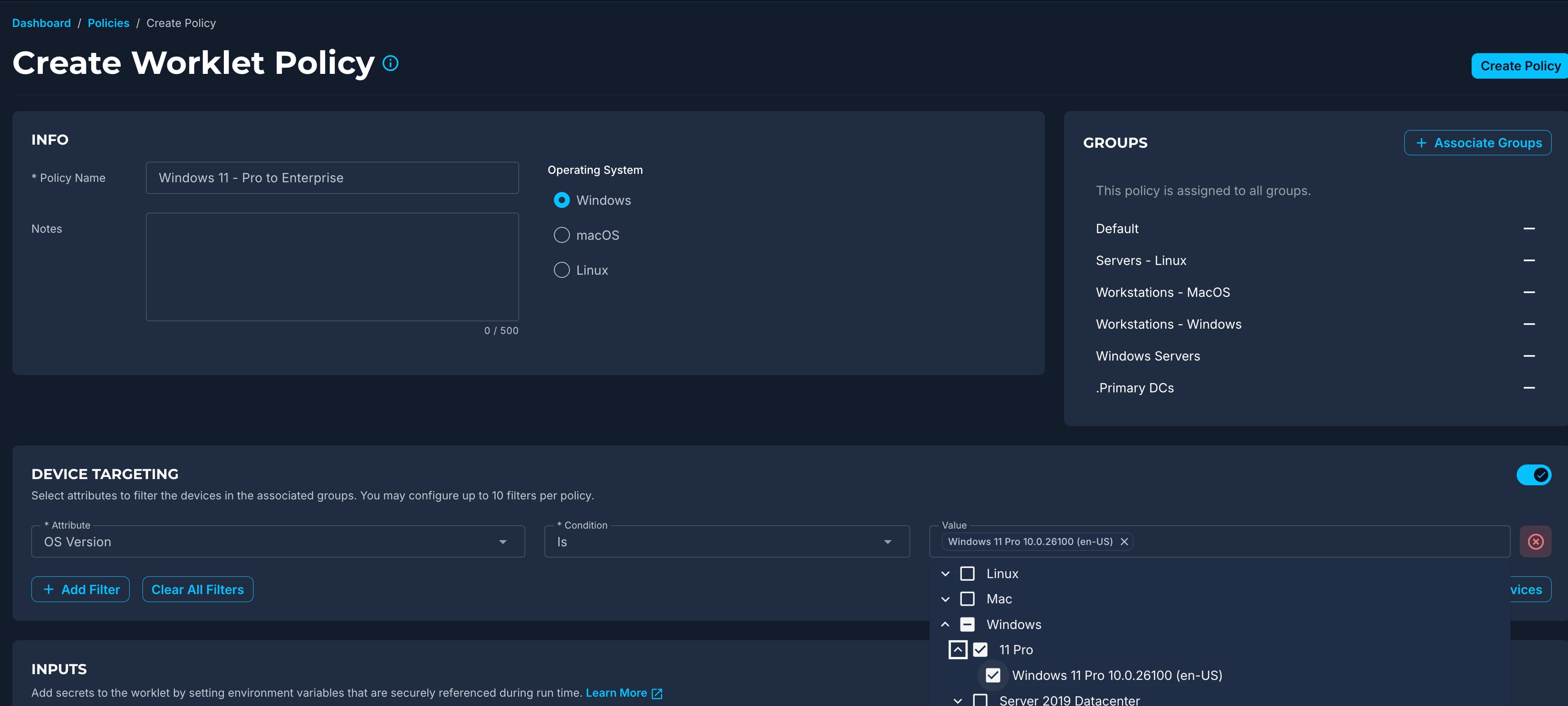
  1. Build a worklet, assign to your entire environment using groups, but then take it a step further with the Device Targeting feature to say ‘only run on 11 Pro devices’. This means the policy will automatically fall of your upgraded devices as they go from Pro to Enterprise:
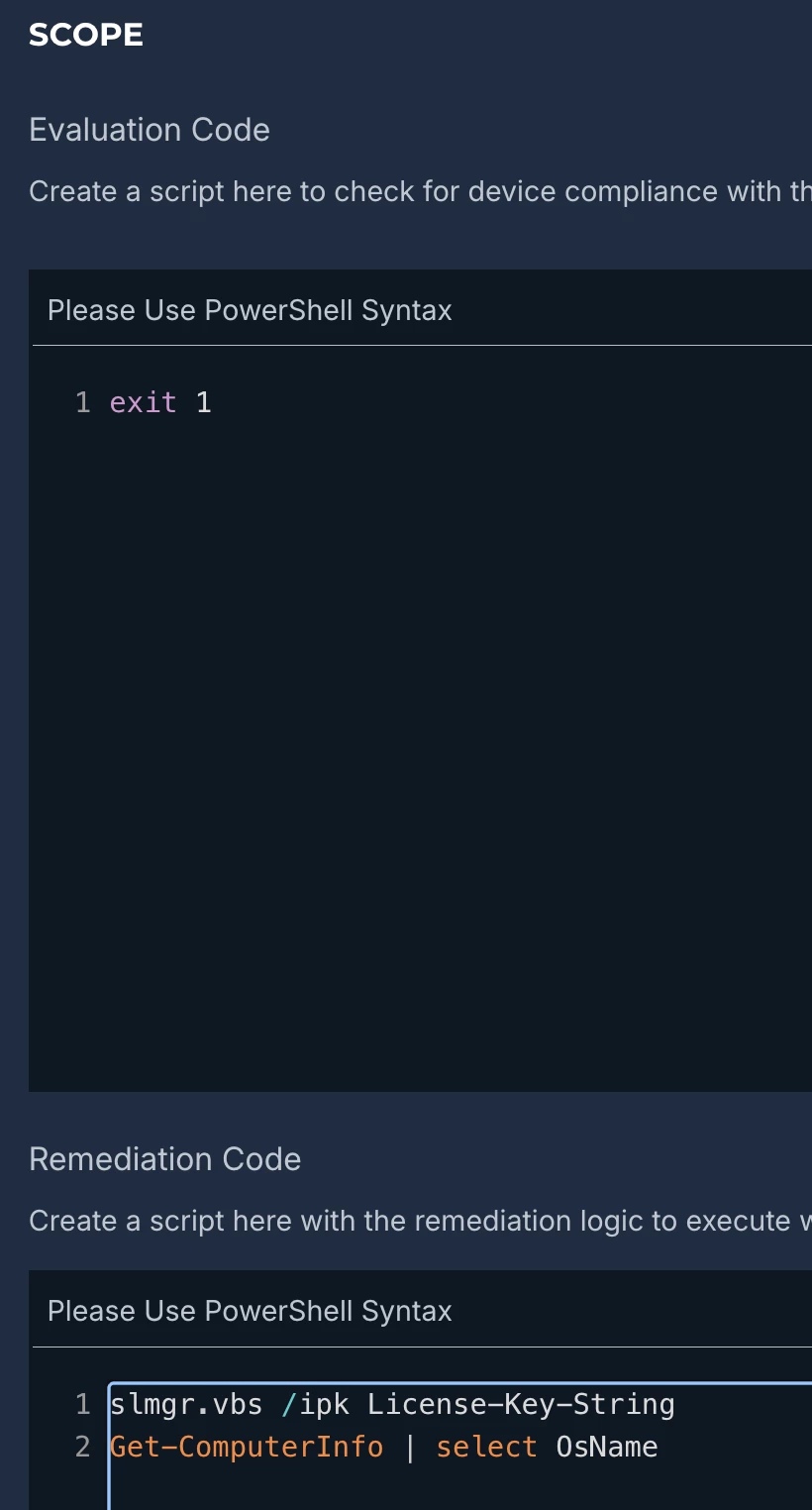
  2. The Evaluation code can be taken into account if you want, but for simplicity sake, I would just skip it.
  3. Remediation code and scheduling, where the Remediation Code will make use of slmgr.vbs to apply the license:
    slmgr.vbs /ipk License-Key-String
    Get-ComputerInfo | select OsName

Final result will look similar to this:


The policy can be run on 1-2 devices manually to validate before running at scale.

Regards,

Mark