Question

AutoMox and MSP files

  • November 10, 2025
  • 4 replies
  • 36 views

Forum|alt.badge.img

Good morning

What is the best to implement and utilize MSP files with AutoMox. I have tried both required software and creating a worklet with the simple PowerShell command that works when run locally on my machine. Has anyone gotten this to work?

4 replies

Forum|alt.badge.img
  • Pro
  • November 10, 2025

@JWillms Although i haven't tried it but worklet should do the trick!! can you put your code in here so members can have a look and provide feedback!!


Forum|alt.badge.img
  • Author
  • Novice
  • November 10, 2025

Thanks ​@Maulik_Busa !

It’s a simple one liner; 

Start-Process -FilePath 'msiexec.exe' -ArgumentList '/qn', '/p', 'FoxitPDFEditorUpd1401.msp' -Wait -Passthru


I attach the MSP file in question to the worklet, throw in an exit 0 for evaluation and the above command in the remediation code.

Actually, when responding here, I found a typo and things appeared to work correctly. Seems I just need another set of eyes so to speak.


Forum|alt.badge.img
  • Pro
  • November 10, 2025

@JWillms Glad it worked out lol. 

Thanks


Forum|alt.badge.img
  • Automox Employee
  • November 10, 2025

@JWillms 

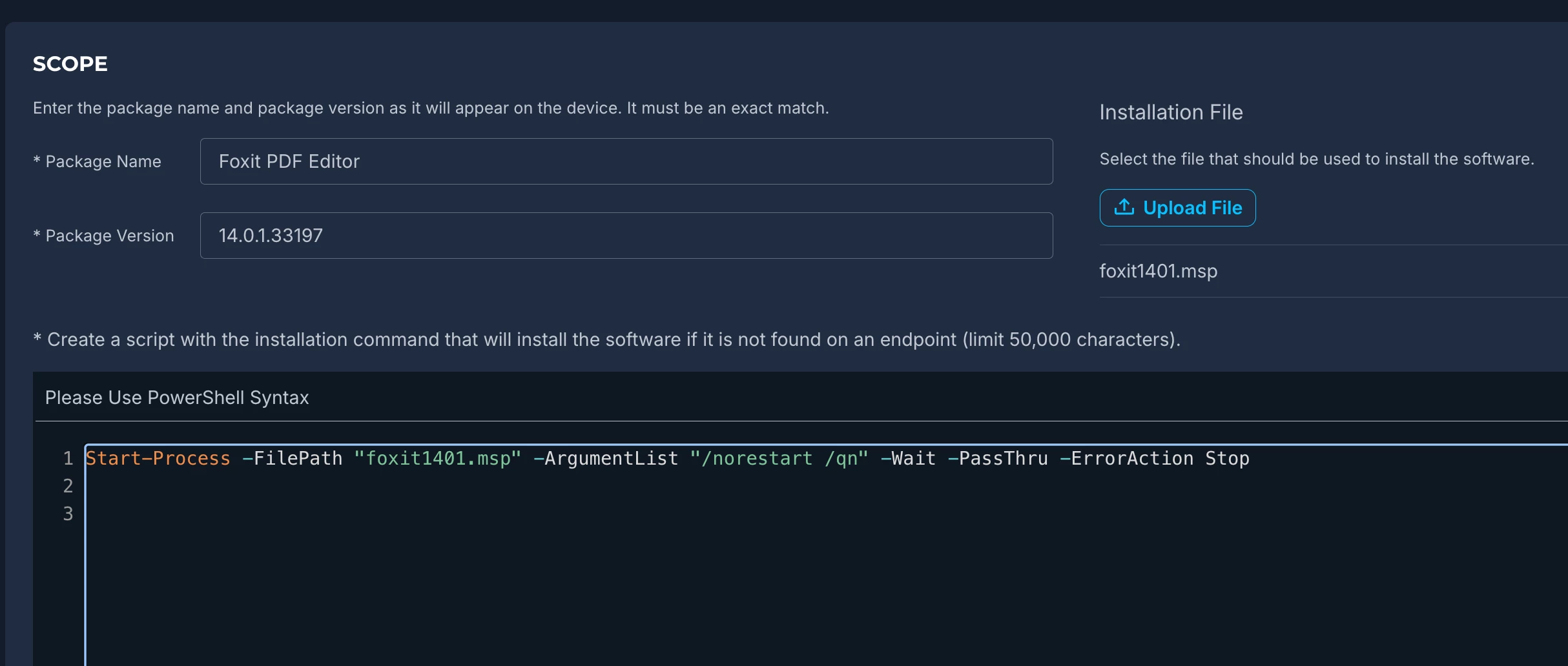
The Required Software policy requires the scope to be exact, even case sensitive for compliance.

I was able to get this updated using the script similar to yours:

Start-Process -FilePath "foxit1401.msp" -ArgumentList "/norestart /qn" -Wait -PassThru -ErrorAction Stop
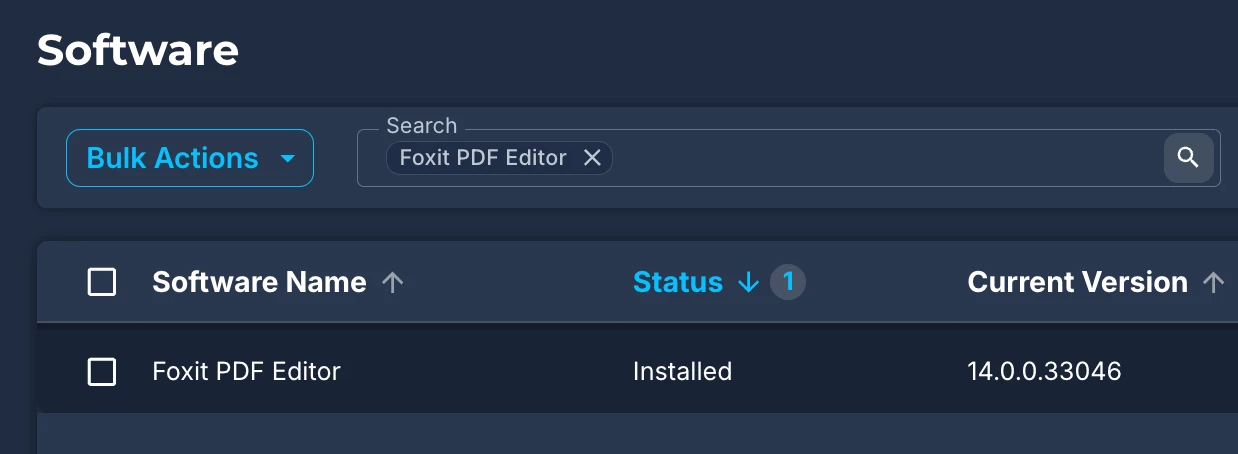
​​​​P​​​re-Deployment
Required Software Contents
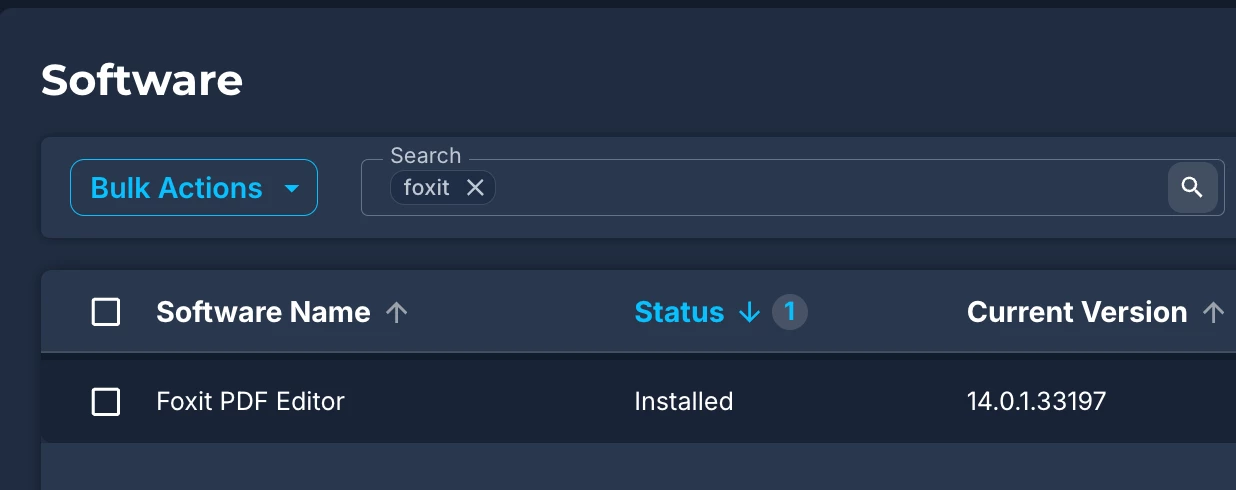
Post-policy deployment

Hope this helps, more than happy to answer any follow up questions.

Regards,