

The default homepage is set to the Latest view, which shows you all topics with the newest ones at the top. You can change that in your profile preferences, in case you prefer the Categories view. That view shows you the forums on the left, and a smaller view of recent topics on the right.
To switch your homepage, go to your profile Preferences tab and select Interface:
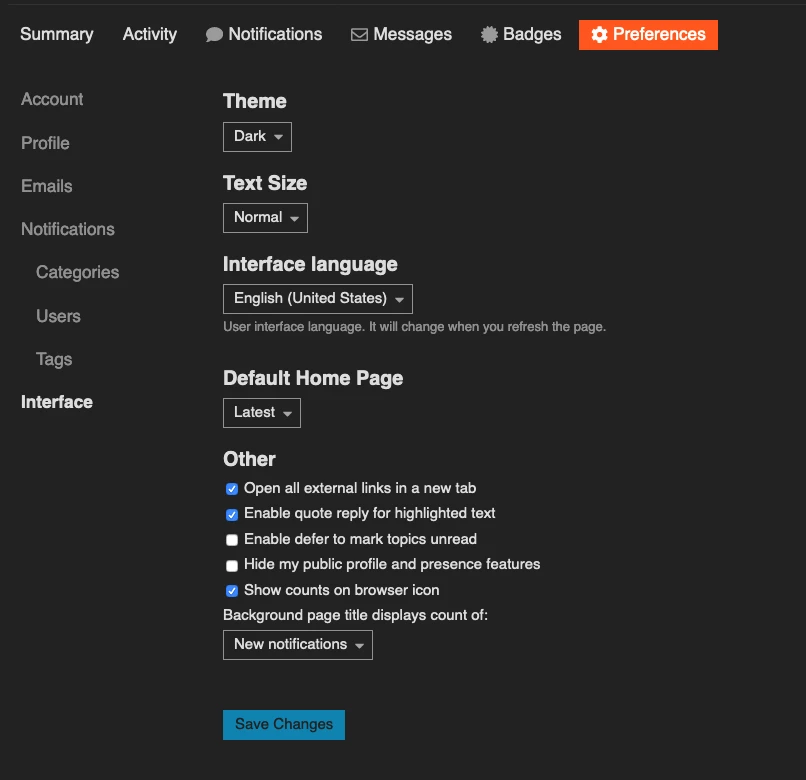
The Default Homepage dropdown lets you select from Latest, Categories, New, Unread or Top.
This section also lets you change your theme from dark to light, if you prefer a white background, as well as the text size, language and some other assorted preferences.
This discussion is archived and closed to replies. Continue it in the Automox Community Slack.
Discuss on Slack