

AutomoxAutomox

Tip of the day: browser notifications

Nic-Automox
August 26, 2019 at 4:41 pm UTC

Another way to be notified when new community activity happens is to turn on browser notifications (also called live notifications). These are short pop-up notifications that appear in a corner of your screen and then disappear after a few seconds.

To do that, go to your profile preferences and click on Notifications:
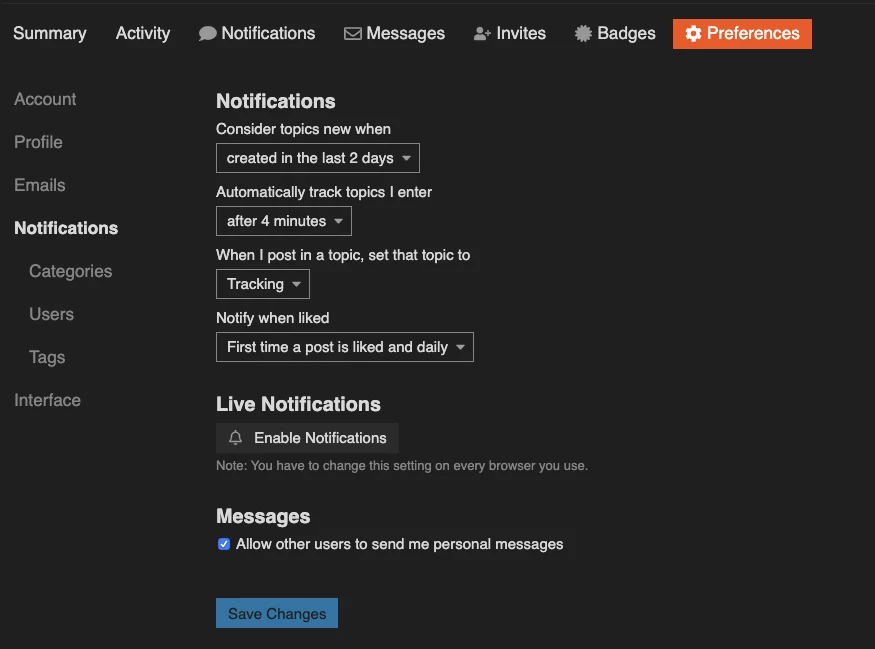
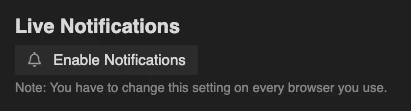
Click on the Enable Notifications button under the Live Notifications header:
10%20AM

This is a per browser setting, so if you use the community in multiple browsers or on multiple computers, you’ll need to enable it from each browser.

This discussion is archived and closed to replies. Continue it in the Automox Community Slack.

Discuss on Slack

Replies (4)

dimforestAugust 29, 2019
#1

I use browser notifications for like 5 or 6 different sites so my bottom right corner can be a circus at times.

Nic-AutomoxAugust 29, 2019
#2

The one thing you have to watch out with those notifications is when you’re presenting. Those can get quite embarrassing if you’re not careful.

dimforestAugust 29, 2019
#3

100% and it’s happened to me more than once. I also have a HILARIOUS group of people that seem to think when papa dim is presenting his screen that it’s a PERFECT time to send Teams or Skype messages like “Hey did that rash clear up??” or “Ok I hid the body.”

DiegoF1000101August 29, 2019
#4

Definitely going to enable this when I get home. I only have notifications enabled for Spiceworks so Automox would be perfect to add!