Hello Community!
Does anyone have a worklet they can share to enable the local administrator account?
Thanks!
This discussion is archived and closed to replies. Continue it in the Automox Community Slack.
Discuss on Slack

Hello Community!
Does anyone have a worklet they can share to enable the local administrator account?
Thanks!
This discussion is archived and closed to replies. Continue it in the Automox Community Slack.
Discuss on SlackHi
We have a Worklet in our Catalog for disabling the local administrator account which can be repurposed for this!
Check out the Worklet named Windows - Security - Disable Local Administrator
To adapt this worklet for enabling the local admin account we’ll need to change a few things.
In the evaluation code, you’ll want to update lines 44 through 58 with the following:
# Check to see if the account is enabled.
# If not enabled, flag the device for remediation.
if (-Not $accountQuery.Disabled)
{
	Write-Output "The account $accountName is already enabled."
	Write-Output "Device is compliant. Now exiting"
	Exit 0
}

else
{
	Write-Output "The account $accountName is disabled."
	Write-Output "Flagging for remediation."
	Exit 1
}
In the remediation code, update lines 55 through 64 with this:
	if (-Not $refreshedAccount.Disabled)
	{
		Write-Output "The account $accountName has been enabled."
		Exit 0
	}
	else
	{
		Write-Output "Failed to enable the account $accountName."
		Exit 1
	}
Lastly, you can switch the verbiage in the Write-Output message on line 69 to say “enable” instead of “disable”.
Write-Output "An error occurred attempting to enable account '$accountName' : $($_.Exception.Message)"
I hope this helps! Have a great day!
Thank you for the quick response. I have made the updates as detailed in your post...but receive a “command timed out” error when I run it. See attached pic. Any insight on that? Thank you!

In your worklet, it looks like line 49 in the remediation code to was switched to $_.Enabled = $true
This should be $_.Disabled = $true
So I deleted...and recreated from the DELETED policy, copied your code and pasted into the ENABLED policy and still get the Command Timed Out error.
If I run the Disable Admin account policy that works without issue.
Hey
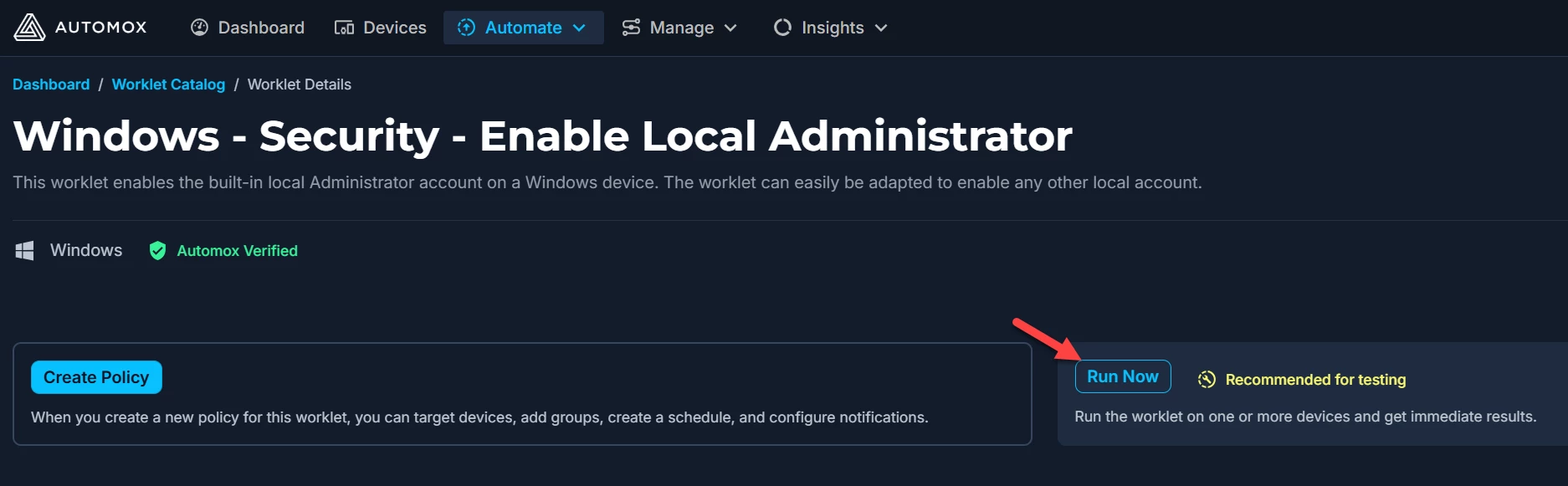
I was able to put together a formal offering for you. In the Worklet Catalog, you should now see a new Worklet named Windows - Security - Enable Local Administrator.
Below is a run of the Worklet on one of my tests servers so you can see how it functions:
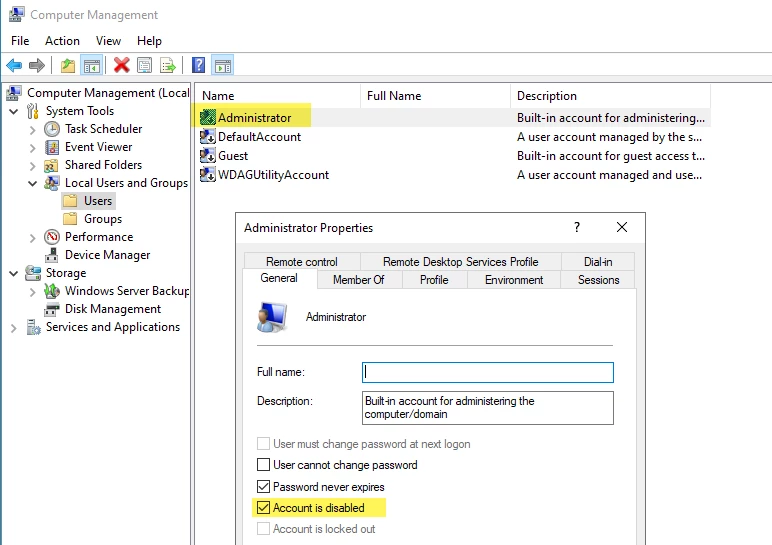
Using the Run Now feature, you can immediately test and see the results of the new Worklet:
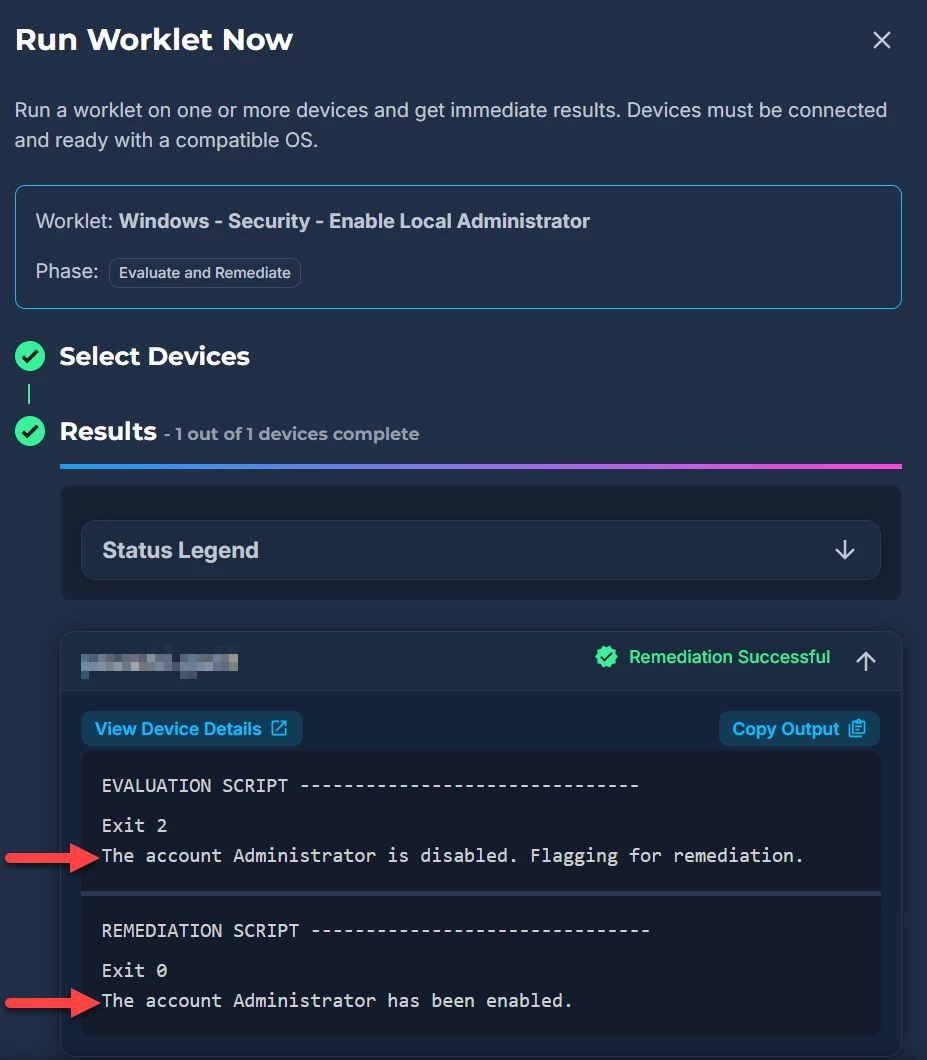
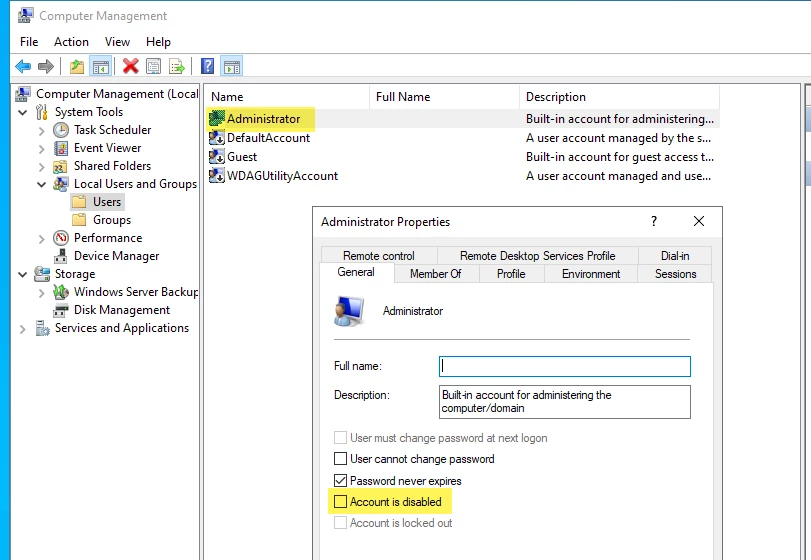
Checking the device locally again, you’ll see that the local Administrator account is now enabled:
Let me know if you have any questions or issues implementing the new Worklet.
Have a great day!
Hello JohnG-
I was not able to find that as an option in my Worklet catalog so I clicked the link in your message which opens up the worklet in question. But when I try to save the worklet I get an error. See attached.
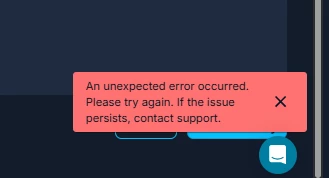
Nevermind:) I had another policy with that same name. I was able to add, test and it worked!!!
Thank you so much for your assistance.
Posted by zwebb. Replies by JohnG-Automox.